How to Close All Tabs on iPhone 14: Quick & Easy Guide

Are you tired of swiping away tabs one by one on your iPhone 14? Worry no more! There’s a quick and easy way to close all of your tabs at once. Let’s dive into how you can do just that. You can also watch this video about closing all iPhone 14 tabs for more information. … Read more
Camera Grid on iPhone 14: A Comprehensive Guide to Enhanced Photography

Ever wondered how professional photographers take such perfectly composed shots every time? Well, one of their secrets is using a camera grid. And guess what? Your iPhone 14 has this nifty feature too! By enabling the camera grid on your iPhone 14, you can take your photography game to the next level. It’s super easy … Read more

How to Turn Off Location on iPhone 14: A Step-by-Step Guide

Turning off location on your iPhone 14 is a simple process that requires just a few taps. By disabling this feature, you ensure that your privacy is protected, and apps won’t be able to track your whereabouts. Let’s dive into how to get this done quickly and easily. You can also watch this video about … Read more

How to Enable Automatic App Updates on iPhone 14: A Step-by-Step Guide

Keeping your apps updated on your iPhone 14 is essential for security, performance, and accessing the latest features. But who has the time to manually update each app? Luckily, you can enable automatic app updates in just a few simple steps. You can also watch this video about enabling automatic iPhone 14 app updates for … Read more

How to Turn Off Lock Sound on iPhone 14: A Step-by-Step Guide

Turning off the lock sound on your iPhone 14 is a simple process that can be done in a few steps. By following these instructions, you’ll be able to silence that clicking noise that happens every time you lock or unlock your phone. Let’s dive right into how you can achieve a quieter iPhone experience. … Read more

How to Create Safari Bookmarks on iPhone 14: A Step-by-Step Guide

Creating Safari bookmarks on your iPhone 14 is a piece of cake! Imagine having all your favorite websites just a tap away – that’s what bookmarks do for you. By following a few simple steps, you can save any webpage you fancy for quick access later. Let’s dive in and get those bookmarks sorted! You … Read more

How to Turn Off Pop Up Blocker on iPhone 14: A Step-by-Step Guide

Turning off the pop-up blocker on your iPhone 14 is a breeze, and it’s something you can do in just a few taps. The process involves diving into your Safari settings and toggling off the blocker, which will then allow all those pesky pop-ups to make their grand entrance whenever you’re browsing the web. You … Read more

How to Turn Off Vibration on iPhone 14: A Step-by-Step Guide

Turning off vibration on your iPhone 14 is a simple process that involves a few taps in your settings app. This quick overview will give you the basic steps to achieve a buzz-free phone experience. It’s perfect for when you’re in a meeting, at the cinema, or just prefer a quieter notification system. You can … Read more

How to Hide Photos on iPhone 14: A Step-by-Step Guide

Hiding photos on your iPhone 14 is a pretty simple process. It helps you keep your private moments away from prying eyes, without having to delete them. This brief tutorial will guide you through the steps to ensure your photos stay hidden. You can also check out this video about how to hide photos on … Read more

How to Screenshot on iPhone 14: A Step-by-Step Guide

Capturing a screenshot on an iPhone 14 is a breeze. Simply press the Volume Up button and the Side button simultaneously, and voila! You’ve got a screenshot saved to your photo gallery. This quick action allows you to capture and share whatever is on your screen in a matter of seconds. You can also check … Read more

How to Turn Off Passcode on iPhone 13: A Step-by-Step Guide

Turning off the passcode on an iPhone 13 is straightforward. You simply dive into your settings, navigate to the ‘Face ID & Passcode’ section, and tap ‘Turn Passcode Off’. After entering your current passcode, the feature will be disabled, leaving your device without a passcode. What happens after you turn off your passcode, you ask? … Read more

How to Delete Cookies on iPhone 13: A Step-by-Step Guide

To quickly delete cookies on your iPhone 13, head to Settings, scroll down to Safari, tap on it, and then go to ‘Clear History and Website Data’. Tapping this option will remove cookies, history, and other browsing data. After you complete this action, your iPhone 13 will no longer hold data from websites you’ve visited. … Read more

How to Reduce Photo File Size on iPhone 13: A Step-by-Step Guide

Reducing photo file size on your iPhone 13 is pretty straightforward. You can either use the built-in editing features on your iPhone or download a third-party app to compress the images. After the process, your photos will take up less space on your device, making it easier to manage storage and share pictures quickly. After … Read more

How to Alphabetize Apps on iPhone 13: A Step-by-Step Guide

Alphabetizing your apps on iPhone 13 is straightforward. Simply tap and hold anywhere on your Home Screen until the apps begin to jiggle. Then, tap on the dots at the bottom of the screen, select your desired page, and tap on the three-line icon next to the apps to rearrange them alphabetically. After completing this … Read more

How to Turn Off Auto Rotate on iPhone 13: A Step-by-Step Guide

Turning off auto-rotate on your iPhone 13 is a breeze. Simply swipe down from the top-right corner to access the Control Center, then tap on the icon that looks like a lock with a circular arrow around it. This will lock your screen in its current orientation, and it will no longer auto-rotate when you … Read more

How to Turn Off Flash Notification on iPhone 13: A Step-by-Step Guide

Turning off flash notification on an iPhone 13 is a straightforward process. Simply navigate to the Settings app, tap on “Accessibility,” then “Audio/Visual,” and finally toggle off the “LED Flash for Alerts” option. This will disable the flash notification feature, stopping your iPhone from flashing a light whenever you receive a notification. After you complete … Read more

How to Caps Lock on iPhone 13: A Step-by-Step Guide

To enable Caps Lock on an iPhone 13, simply double-tap the shift key (arrow up icon) on your keyboard. It will turn from a white to a grey background indicating that Caps Lock is active. After completing the action, you’ll be able to type in all capital letters continuously without having to press the shift … Read more

How to Turn Off Read Receipts on iPhone 13: A Step-by-Step Guide

To turn off read receipts on iPhone 13, go to Settings, tap on Messages, and toggle off the “Send Read Receipts” option. Now, when you read a message, the sender will not be notified that you have seen it. After you complete this action, the senders of the messages you read will no longer be … Read more

How to Add Printer to iPhone 13: A Step-by-Step Guide

Adding a printer to your iPhone 13 is a straightforward process: just ensure your printer and iPhone are connected to the same Wi-Fi network, go to the app you’re printing from, find the print option, select your printer, and tap print. Voilà – you’re all set to start printing directly from your iPhone! Once you’ve … Read more

Can I Scan QR Codes with My iPad?

Scanning QR codes with an iPad is a breeze! Open the Camera app, point it at the QR code, and tap the notification that pops up to take action on the QR code’s information. After scanning a QR code with your iPad, your device will process the information and present you with a notification. Tap … Read more

5 Ways to Browse the Internet on an Android Smartphone

Exploring the web on your Android smartphone can be like finding your way through a jungle – there are so many paths to take! In this article, we’ll clear the path and show you five cool ways to navigate the vast expanse of the internet from the palm of your hand. Once you’ve read this … Read more

6 Android Smartphone Security Tips

Keeping your Android smartphone secure is not just a smart move; it’s a necessity in today’s world where digital threats are lurking around every virtual corner. In this article, you’ll learn six crucial tips to protect your precious device from the hands of hackers and malware. Whether you’re a tech newbie or a savvy user, … Read more

5 Tips for Switching from Android to iPhone

Making the switch from Android to iPhone can seem daunting at first. This article will provide you with 5 essential tips to make your transition smooth and stress-free. After you finish reading this article, you’ll be equipped with practical steps to transfer your data, adjust to the new interface, and make the most of your … Read more

Can I Delete the Cache on My iPad?

Clearing the cache on your iPad is a straightforward process. Navigate to your Settings app, select Safari or the app you want to clear, and tap on the “Clear History and Website Data” or “Clear Cache” option. In just a few taps, you can free up space and potentially speed up your device. After clearing … Read more

5 Tips to Consider When Deleting iPad Apps

Tidying up your iPad by deleting apps you no longer need can free up storage space and declutter your home screen. But before you start tapping the ‘X,’ there are a few things to consider to ensure you’re doing it right. This article provides you with five tips to keep in mind. After you’re done … Read more

6 Things to Know for a More Secure iPhone Passcode

Keeping your iPhone secure is more than just a preference; it’s a necessity. In the digital age where personal data is gold, ensuring the passcode to your iPhone is as impenetrable as Fort Knox is critical. This article will explore six essential tips to strengthen your iPhone passcode, making your digital fortress unyielding to unwanted … Read more

10 Things to Know About Deleting iPhone Apps

Ready to declutter your iPhone and make space for new apps and memories? This article dives into the nuances of deleting apps from your iPhone, a seemingly simple task that harbors a few not-so-obvious details worth knowing. Let’s uncover the layers of this digital clean-up! Once you’ve soaked up the knowledge from this article, you’ll … Read more

What is Screen Mirroring on iPhone 14?

In this article, we’re diving into the world of screen mirroring with the iPhone 14. Screen mirroring is a feature that allows your phone’s display to appear on a larger screen, like a TV or computer monitor. By understanding this, you’ll get to know how to display your favorite photos, games, or apps on a … Read more

How to Block Apps on iPhone 14

To block apps on your iPhone 14, simply delve into the Screen Time settings, enable it if it’s not already, and use the App Limits feature to add limits to the apps you want to block. Adjust the time to one minute, and they will be effectively blocked until you decide otherwise. After completing the … Read more

What is Focus on iPhone 14?

To enable and configure Focus on the iPhone 14, navigate to Settings, tap Focus, select a Focus profile or create a new one, customize the settings for allowed notifications and people, and activate it. By doing so, you can manage your attention and minimize distractions during daily activities or while resting. After completing the action, … Read more

How to Send GIFs on iPhone 14

Sending GIFs on your iPhone 14 is as easy as opening your Messages app, tapping the ‘A’ (App Store) icon, selecting the ‘#images’ feature, searching for your desired GIF, and tapping to send it. That’s the quick rundown! After completing this action, your chosen animated GIF will be on its way to delighting the recipient … Read more

How to Search Text Messages on iPhone 14

Searching text messages on your iPhone 14 is straightforward. Open the Messages app, swipe down to reveal the search bar, type in the keyword or contact name, and voila, messages containing that text will pop up. It’s that simple. Once you complete the action, you’ll see a list of messages that contain the word or … Read more

What is a VPN on an iPhone 14?

In this article, we’ll dive into the world of Virtual Private Networks (VPNs) on the iPhone 14, exploring how they work, their benefits, and some limitations. A VPN is a tool that creates a secure and private connection between your device and the internet, protecting your data and online activity. After reading this article, you’ll … Read more

How to Record a Video on iPhone 14

Recording a video on iPhone 14 is a straightforward process. Open the Camera app, swipe to ‘Video’ mode, press the red record button to start, and press it again to stop. Voila, you’ve recorded a video! It’s easy and quick, perfect for capturing spontaneous moments or creating content on the go. What Happens Next? Once … Read more

How to Change Font on iPhone 14

Changing the font on an iPhone 14 is a simple process that can be done in just a few steps. By going to the Settings app, selecting Display & Brightness, and then Text Size, users can adjust the size of the font to their preference. For those who need larger text, the “Larger Text” option … Read more

How to Turn Off 5G on iPhone 14

To turn off 5G on your iPhone 14, navigate to the Settings app, select “Cellular,” then “Cellular Data Options,” and finally, choose “LTE” as your preferred data option. This process is straightforward and only takes a few moments to complete. Once you’ve turned off 5G, your iPhone 14 will no longer connect to 5G networks, … Read more

How to Name a Group Text on iPhone 14

To name a group text on iPhone 14, open the Messages app, select the group text, tap on the group icons at the top, then choose “Change Name and Photo.” Enter the desired name and tap “Done.” After you have completed these steps, the group text will have a unique name that makes it easily … Read more

How to Delete a Google Account on an iPhone 14

To delete a Google Account on your iPhone 14, go to iPhone Settings, find “Mail,” select “Accounts,” choose your Google Account, and then hit “Delete Account.” Confirm the deletion and your Google Account will be removed from your device. When you remove your Google Account from your iPhone, you will lose access to any data … Read more

How to Restart an iPhone 14

Restarting an iPhone 14 is a straightforward process. First, press and hold the volume up or down button and the side button simultaneously until two sliding buttons appear. Then, slide to power off. After the device powers down completely, hold the side button again until you see the Apple logo. After completing these steps, your … Read more

how to insert an iPhone 14 degree symbol

How to Insert an iPhone 14 Degree Symbol

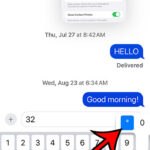
Inserting a degree symbol on an iPhone 14 is a simple process that can be completed in just a few steps. First, open the app where you want to insert the symbol and bring up the keyboard. Next, find and hold down the “0” key. A small pop-up will appear with the degree symbol. Slide … Read more

how to turn off iPhone 14

How to Turn Off an iPhone 14

To turn off an iPhone 14, start by pressing and holding the side button along with either volume button until two sliding buttons appear. Slide to power off. If your iPhone is unresponsive, try a force restart by quickly pressing and releasing the Volume Up button, then the Volume Down button, and finally, press and … Read more

how to record your screen on iPhone 14

How to Record Your Screen on an iPhone 14

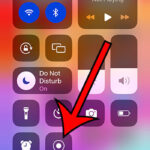
Recording your screen on the iPhone 14 is simple and convenient. Add the screen recording function to your Control Center, access it with a swipe and a tap, and you’re ready to go! This guide walks you through each step, from setup to sharing, with tips and tricks for a seamless experience. You can also … Read more

how to change iPhone name in Settings

How to Change iPhone Name in Settings

Changing your iPhone’s name adds a personal touch and helps in easy identification, especially when connecting to networks or Bluetooth devices. Navigate to Settings > General > About, tap on the current name, enter the new name, and hit ‘Done’. Enjoy your newly personalized iPhone! This guide continues below with more information, as well as … Read more

how to enable iMessage on an iPhone 14

How to Enable iMessage on an iPhone 14

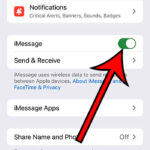
Enabling iMessage on an iPhone 14 is simple: head to ‘Settings’, find ‘Messages’, and toggle the iMessage switch on. Once activated, users can enjoy enhanced texting features, synchronization across Apple devices, and fun chat effects. This guide continues below with more information about the iMessage feature and answers to questions you might have. You can … Read more

how to permanently delete an iPhone 14 app

How to Permanently Delete an iPhone 14 App

Want to declutter your iPhone 14? You can easily delete apps either through a quick method on the home screen or a detailed route via settings. Always back up before deleting and be aware of the pros and cons of app removal. Our tutorial below discusses more about deleting iPhone apps, including the pros and … Read more

how to get rid of the Sent from my iPhone signatrue on iPhone

How to Get Rid of “Sent from My iPhone” in iPhone Mail

Want to remove the “Sent from My iPhone” signature? Open the Settings app, navigate to “Mail”, find the “Signature” option, edit or delete the text, and save your changes. Customize your emails to reflect your unique style. This article continues below with more information about the iPhone signature, including pros and cons of this feature, … Read more

what does offload apps mean on iPhone 14

What Does Offload App Mean on an iPhone 14?

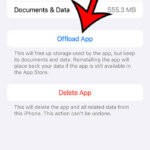
The “Offload App” feature on iPhone 14 allows users to free up storage by temporarily removing apps without losing their data. When space is needed, the app can be easily re-downloaded, and users can continue from where they left off. So, you’ve got your hands on the shiny new iPhone 14, and while playing around … Read more

battery percentage on iPhone 14

Battery Percentage on iPhone 14: A Comprehensive Guide

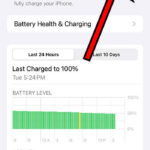
The iPhone 14 allows users to display the battery percentage through the settings. This gives a clearer picture of battery life, aiding in better planning. However, some might find it adds clutter to the status bar. Whether you display it or not, the choice is yours! Our guide continues below with additional information about the … Read more

how to turn on or turn off AirDrop on iPhone 14

How to Turn On or Turn Off AirDrop on iPhone 14

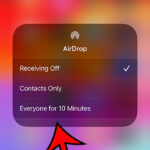
AirDrop is a feature on the iPhone 14 that allows quick and wireless file sharing between Apple devices. To activate, swipe into the Control Center, touch and hold on the wireless square at the top-left, tap on the AirDrop icon, and choose your preference. To deactivate, select ‘Receiving Off’. Enjoy seamless sharing without the need … Read more